
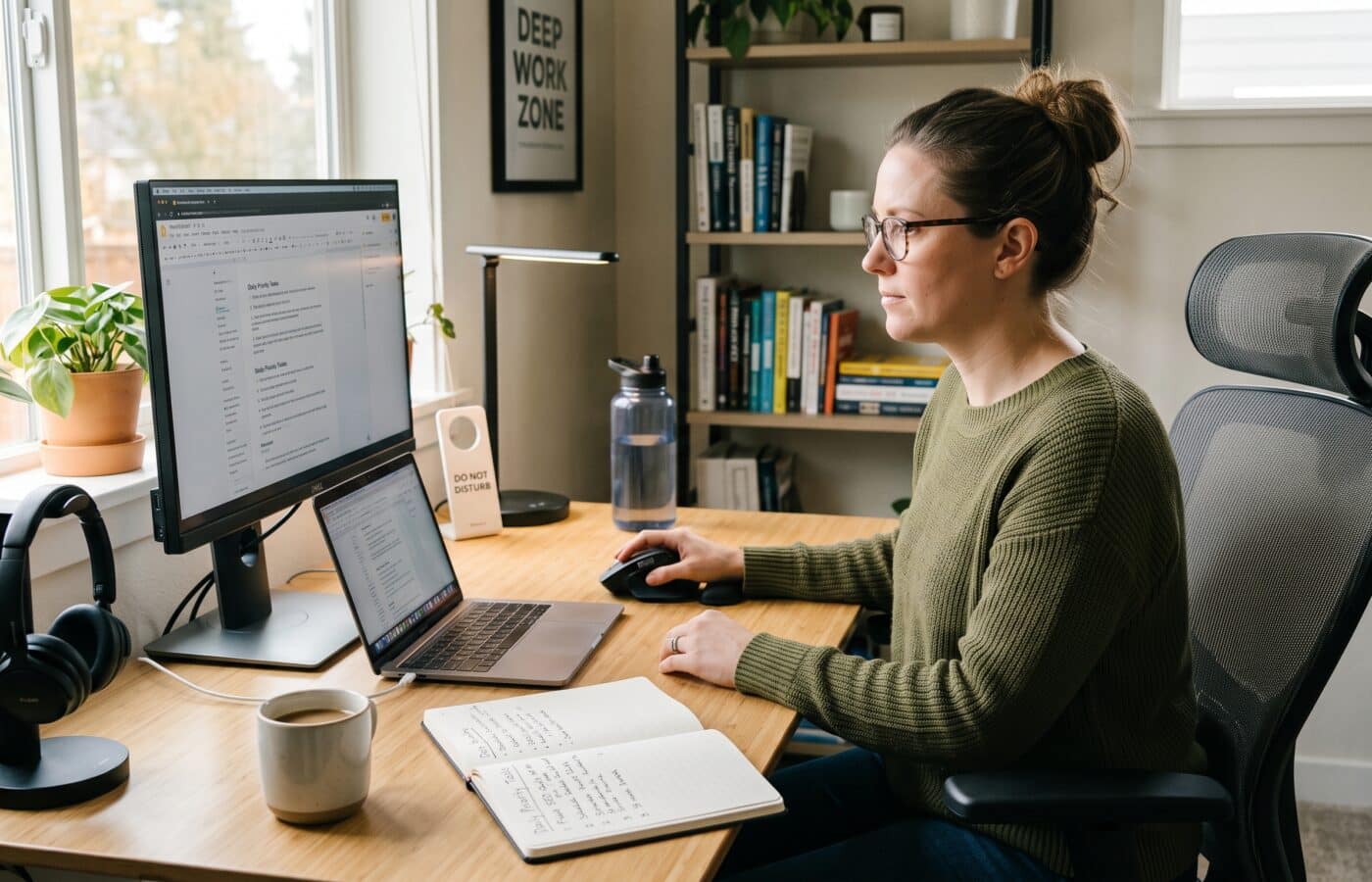
Remote Work Tips That Actually Improve Focus and Output

Most remote work tips you find online were written by people who never had to finish a quarterly report at a kitchen table while a delivery rider rang the doorbell twice. They tell you to buy a good chair, add a plant, and “stay disciplined.” None of that is wrong. It just isn’t the real problem.
The real problem, according to the coaches who work with remote professionals every week, is that focus at home doesn’t break in big dramatic ways. It leaks. A message here, a quick check there, a call that ran over, and by four in the afternoon you’ve been busy for seven hours and finished almost nothing that matters.
We sat down with a productivity and performance coach who works with remote and hybrid teams across finance, tech and professional services, and asked a simple question: which remote work tips actually hold up in a real week? What follows is that conversation, lightly edited for length and clarity.
Why Do Most Remote Work Tips Fail in Practice?
You’ve said most advice about working from home misses the point. Why?
Because it treats remote work as a location problem. People assume that if they fix the room, they fix the work. I’ve coached people with beautiful home offices who can’t get through a single report without opening Slack eleven times, and people working from a folding table in a spare bedroom who produce the best work of their careers.
What separates them is almost never the setup. It’s how they manage their attention, how they manage other people’s access to them, and how they end the day. Those three things. When I take on a new client, I spend very little time on desks and monitors and a lot of time on calendars and notifications.
The other reason advice fails is that it’s too generic. “Take breaks.” Fine. When? For how long? What counts as a break? If a tip doesn’t tell you what to do at 10:30 on a Tuesday, it probably won’t survive a real week.
What’s the First Thing You Look at When a Client Says They Can’t Focus?
Interruptions. Before we change anything, I ask them to keep an honest log for two or three days. Every time their attention gets pulled, they make a tally mark and a two word note on what pulled it. Email. Teams. Phone. Partner asking about dinner. Their own brain drifting to the news.
People are always shocked by the count. They shouldn’t be, because the data backs it up. Microsoft’s WorkLab team, using anonymized Microsoft 365 signals, found that during core hours people get pulled away by a meeting, email or chat roughly every two minutes, which adds up to about 275 interruptions a day. Their survey of 31,000 knowledge workers also found that nearly half of employees describe their work as chaotic and fragmented.
Think about that. If you’re pulled away every couple of minutes, you’re never really working. You’re reacting.
So the first of my remote work tips is boring but powerful: count your interruptions before you try to fix them. You can’t manage what you haven’t seen.
How Do You Protect Focus Time When Everyone Can Reach You?
Once someone sees the count, what’s the fix?
We build what I call a protected block. It’s a stretch of 90 to 120 minutes, ideally at the same time every day, where the person does their single most important piece of work and nothing else. Of all the remote work tips I give, this is the one that pays off fastest.
Three rules make it work. First, it goes on the calendar as a real appointment, with a name that tells people what it is. “Focus: client proposal” works better than “Busy,” because colleagues respect a reason more than a wall. Second, every notification is off. Not muted. Off. Email closed, chat set to do not disturb, phone in another room. Many focus and productivity apps can enforce this for you automatically. Third, the task for that block is decided the night before, so you don’t burn the first twenty minutes deciding what to do.
For most of my clients the morning works best, because the day hasn’t had a chance to get messy yet. But I’ve had night owls who guard 2 to 4 p.m. and do brilliantly. The time matters less than the consistency. When it happens at the same hour daily, your team learns the pattern and stops expecting instant replies in that window.
Doesn’t that frustrate colleagues?
Less than you’d think. What frustrates people is unpredictability. If they know you answer messages at 11 and at 3, they’ll wait. What they hate is not knowing whether you’ll reply in two minutes or two days.
What Is Attention Residue, and Why Should Remote Workers Care?
This is my favorite concept to teach, because the moment people hear it, they recognize themselves.
In two experiments, management researcher Sophie Leroy showed that people have to stop thinking about one task to fully shift their attention to the next, and that when the first task is left unfinished, they struggle to let it go and their performance on the next task suffers. She called it attention residue.
Here’s why that matters for remote workers specifically. At home, the switches are invisible. Nobody sees you flip from a spreadsheet to a chat to a news tab and back again. In an office there’s at least some friction, like walking to a meeting room. At home, you can switch forty times an hour without ever leaving your chair.
So I teach a closing ritual, and it’s one of the remote work tips people roll their eyes at before they try it. Before you switch tasks, take sixty seconds and write down exactly where you stopped and what the next step is. “Finished section two, next: pull Q3 numbers for the table.” That’s it. It tells your brain the task is parked safely, and it lets go. Leroy, now dean of the business school at UW Bothell, suggests working offline to avoid interruptions and building in breaks between tasks and before meetings.
Sixty seconds seems too small to matter.
That’s what everyone says, right up until they try it for a week. The small habits are the ones people actually keep.
Why Do We Interrupt Ourselves So Much?
Here’s the part people don’t want to hear. A big share of interruptions aren’t coming from your boss or your team. They’re coming from you.
Gloria Mark at UC Irvine began studying screen attention back in 2003, when people stayed on one screen for about two and a half minutes before switching. By 2012 that had dropped to around 75 seconds, and in more recent years it has averaged 47 seconds. She’s careful to point out that this measures how often we switch between screens, not a biological ceiling on human thinking. But the direction is clear. Her work also suggests it takes roughly 25 minutes to bring attention back to a task after being interrupted, and that we interrupt ourselves more often than other people interrupt us.
When you work remotely, the risk of pulling yourself away is higher because nobody’s around. No colleague walks past your screen. So you have to build the friction yourself.
The simplest of all remote work tips: put your phone somewhere you have to stand up to reach. Mark’s own advice runs along similar lines: keep your phone out of sight, clear the clutter around you, work somewhere quiet, and take proper breaks through the day. I’d add one more. Close every browser tab that isn’t related to the task in front of you. Open tabs are little invitations.
How Do You Stop Meetings From Eating the Whole Day?
Many remote workers say meetings are the real problem.
They’re right, and most remote work tips skip right past it. It’s also gotten sneaky. When everyone went home in 2020, a Harvard Business School team studying meeting and email data from more than three million users found people had more meetings with more attendees, even though each meeting got shorter, and the average workday grew by about 48 minutes.
More recently, Microsoft’s research showed that 57 percent of meetings are ad hoc calls with no calendar invite, which throws planned work off course. Someone sends “got a sec?” and you’re on a video call for 25 minutes.
My rules for clients are simple. No meeting without an agenda in the invite. If there’s no agenda, you’re allowed to politely ask for one or decline. Default to 25 or 50 minutes instead of 30 or 60, so there’s a real gap between calls. And ask one question before accepting any meeting: could this be a written update? About a third of the time, the answer is yes. For the rest, many teams now let AI tools summarize the recording so not everyone has to attend live.
I also encourage teams to set aside a meeting free morning or afternoon, once or twice a week. When it’s a team rule, nobody has to feel guilty for protecting it.
Does Your Physical Setup Really Matter for Remote Productivity?
It matters, just not the way people think. A lot of remote work tips start and end with gear, but the equipment is secondary. What matters most is that your workspace sends a signal.
Your brain is very good at learning cues. If you answer emails on the couch, watch shows on the couch and scroll your phone on the couch, the couch means nothing in particular. If you have one spot where you only do focused work, even a corner of the dining table, your brain starts to link that spot with concentration.
I also ask clients to build a start ritual, since they lost their commute. Some take a ten minute walk around the block before logging in. Some make coffee, open the same notebook and review their three priorities for the day. One client of mine, a finance lead with two small kids, changes into “work shoes” every morning. Sounds silly. It works. It’s a switch she physically flips.
And lighting. Honestly, a window does more for most people than a new monitor.
How Should Remote Workers Measure Output Instead of Hours?
This is the mindset shift that makes all the other remote work tips stick. Remote workers often feel guilty, like they have to prove they’re working. So they stay online longer, reply faster and show up in every meeting. That’s performing work, not doing it.
The evidence says location isn’t the issue. In an experiment with more than 1,600 employees at Trip.com, published in Nature, Stanford economist Nicholas Bloom found that staff working from home two days a week were just as productive and just as likely to be promoted as colleagues who were in the office full time. The share of hybrid employees who intended to quit fell by about a third. Even the 395 managers in the study shifted from expecting a small productivity loss before the trial to seeing a small gain afterward.
So I tell clients: stop measuring your day in hours. Pick three outcomes each morning. Not tasks, outcomes. “Send the revised proposal” instead of “work on the proposal.” At the end of the day, you either did them or you didn’t. That’s a far better scorecard than how long your status light stayed green. It matters even more if you’re freelancing, running a side hustle, or starting a small business, where nobody tracks your hours and results pay the bills.
What about people whose managers still judge by visibility?
Then you make your output visible. A short end of day note to your manager with what you finished and what’s next takes three minutes and removes most of the anxiety on both sides.
How Do You Manage Energy, Not Just Time?
Time management gets all the attention, but energy is what actually runs out. You can have a perfectly planned day and still hit a wall at 2 p.m. That’s why my remote work tips always include an energy plan.
I use a simple approach: match the work to the energy. Hard thinking, like writing, analysis and strategy, goes in your high energy hours. Admin, email and routine calls go in your low energy hours. Most people do the opposite. They spend their fresh morning brain clearing the inbox, then try to write the strategy document after lunch when they’re foggy.
Breaks matter too, but real breaks. Scrolling your phone isn’t a break for your attention. It’s just a different screen. Stand up, walk, look at something far away, get outside if you can. Even ten minutes makes a noticeable difference in the afternoon.
And eat lunch away from your desk. I say this to nearly every client, nearly every client laughs, and then they try it and admit it helps. Making lunch at home instead of ordering in will also help you save money every month.
How Do You Deal With Loneliness When Working Remotely?
That’s not usually treated as a productivity issue.
It should be. Loneliness drains focus in ways people underestimate. When you feel disconnected, motivation drops and small problems start to feel bigger.
In Buffer’s 2023 State of Remote Work report, 23 percent of remote workers named loneliness as one of their struggles, and 22 percent said they struggled to unplug. Gallup’s 2025 global workplace report also linked remote work with higher loneliness, at 27 percent among people working exclusively remotely. Yet Gallup’s 2026 report shows exclusively remote employees still post the highest engagement of any work arrangement at 25 percent, with hybrid workers close behind at 24 percent. So you can be fully engaged with the work and still lonely. Both are true at once.
The remote work tips I give here are simple: schedule connection on purpose, because it won’t happen by accident. A weekly fifteen minute call with a colleague that has no agenda. Working from a coworking space or a café one day a week, just take a moment to protect your privacy online when you’re on public Wi-Fi. A standing lunch with a friend. It sounds like time taken away from work. In practice, it gives you energy back.
Why Is Unplugging at the End of the Day So Hard?
Because there’s no door to walk out of. At the office, leaving the building ended the day. At home, the laptop is always right there, and “just one more email” at 9 p.m. feels harmless.
It isn’t. Microsoft found that by 10 p.m., nearly 29 percent of active workers are back in their inboxes. That late checking bleeds into sleep, and poor sleep wrecks the next day’s focus. It becomes a loop. Without a clear boundary between work and home, the day never really ends.
So I teach a shutdown routine, and if you only adopt one of these remote work tips for your evenings, make it this one. Ten minutes at the end of the day. Review what you finished. Write tomorrow’s three outcomes. Check your calendar for the next morning. Close every app. Then say something out loud, even if it feels ridiculous. Cal Newport made the phrase “shutdown complete” famous in Deep Work. My clients just say “done for today.” Then the laptop goes into a bag or a drawer, out of sight.
If you check work email on your phone in the evening, move the app off your home screen. Friction is your friend.
What Should Managers of Remote Teams Do Differently?
Managers set the weather. If a manager sends messages at 11 p.m., the team feels they need to respond, no matter how many times someone says “no pressure.”
Three things I push managers on. First, use scheduled send. Write whenever you like, but deliver during working hours. Second, agree on response time norms as a team. For example, chat within two hours, email within one working day, and anything truly urgent gets a phone call. That single agreement removes a huge amount of anxiety. Third, judge people on outcomes. Set clear goals, check progress in a weekly one to one, and stop watching status lights.
It’s also worth knowing that managers themselves are running on empty. Gallup’s 2026 report found manager engagement fell from 27 percent to 22 percent between 2024 and 2025, the steepest yearly drop in its recent tracking. Tired managers create chaotic teams. Protecting your own focus is part of the job.
If You Could Give Only Three Remote Work Tips, What Would They Be?
One: guard a daily focus block, same time every day, notifications off, task chosen the night before. Two: write a closing note before every switch and a shutdown note at the end of the day. Three: measure yourself by outcomes, not by hours online.
Everything else is refinement. Get those three remote work tips right for a month and most people see a real difference, not because they’re working harder, but because they’re finally working without being pulled apart.
A Simple Weekly Rhythm to Try
- Monday morning: pick the week’s three biggest outcomes.
- Every day: one protected focus block of 90 to 120 minutes.
- Twice a day: handle email and chat in batches at set times.
- Before each switch: a sixty second closing note.
- Once a week: one connection call with no agenda.
- Every evening: a ten minute shutdown routine.
- Friday afternoon: review what worked and adjust.
Frequently Asked Questions
What are the most effective remote work tips for improving focus?
Protect one daily focus block, switch notifications fully off during it, and handle email and chat at set times rather than all day. Microsoft’s research on the infinite workday shows how constant pings fragment attention.
How long does it take to refocus after an interruption?
Research by Gloria Mark at UC Irvine suggests around 25 minutes to fully return to a task. Read more in her University of California interview.
Is working from home less productive than working in the office?
Not for hybrid schedules. Stanford’s randomized trial found no drop in productivity or promotions for staff working from home two days a week. See the Stanford Report summary.
What is attention residue?
It’s the part of your mind that stays stuck on a previous task after you switch, which lowers performance on the next one. The concept comes from Sophie Leroy’s 2009 study.
How can I stop working late when I work from home?
Use a fixed shutdown routine, plan tomorrow before logging off, and put your laptop out of sight. Unplugging remains one of the top struggles in Buffer’s State of Remote Work report.
How do remote workers avoid loneliness?
Schedule connection on purpose: casual calls with colleagues, a coworking day, or regular social plans after work. Gallup tracks loneliness and engagement by work arrangement in its State of the Global Workplace report.
References
- Bloom, N., Han, R., & Liang, J. (2024). Hybrid working from home improves retention without damaging performance. Nature, 630, 920 to 925.
- Stanford Report. (2024). Hybrid work is a “win win win” for companies and workers.
- Microsoft WorkLab. (2025). Breaking down the infinite workday. Work Trend Index Special Report.
- University of California. (2023). Can’t pay attention? You’re not alone. Interview with Gloria Mark.
- Leroy, S. (2009). Why is it so hard to do my work? The challenge of attention residue when switching between work tasks. Organizational Behavior and Human Decision Processes, 109(2), 168 to 181.
- University of Washington Magazine. (2025). There’s no such thing as multitasking, according to business expert Sophie Leroy.
- DeFilippis, E., Impink, S. M., Singell, M., Polzer, J. T., & Sadun, R. Collaborating During Coronavirus. Harvard Business School.
- Buffer. (2023). State of Remote Work.
- Gallup. (2026). State of the Global Workplace.
- SciLine. Dr. Gloria Mark: Shrinking attention spans.