

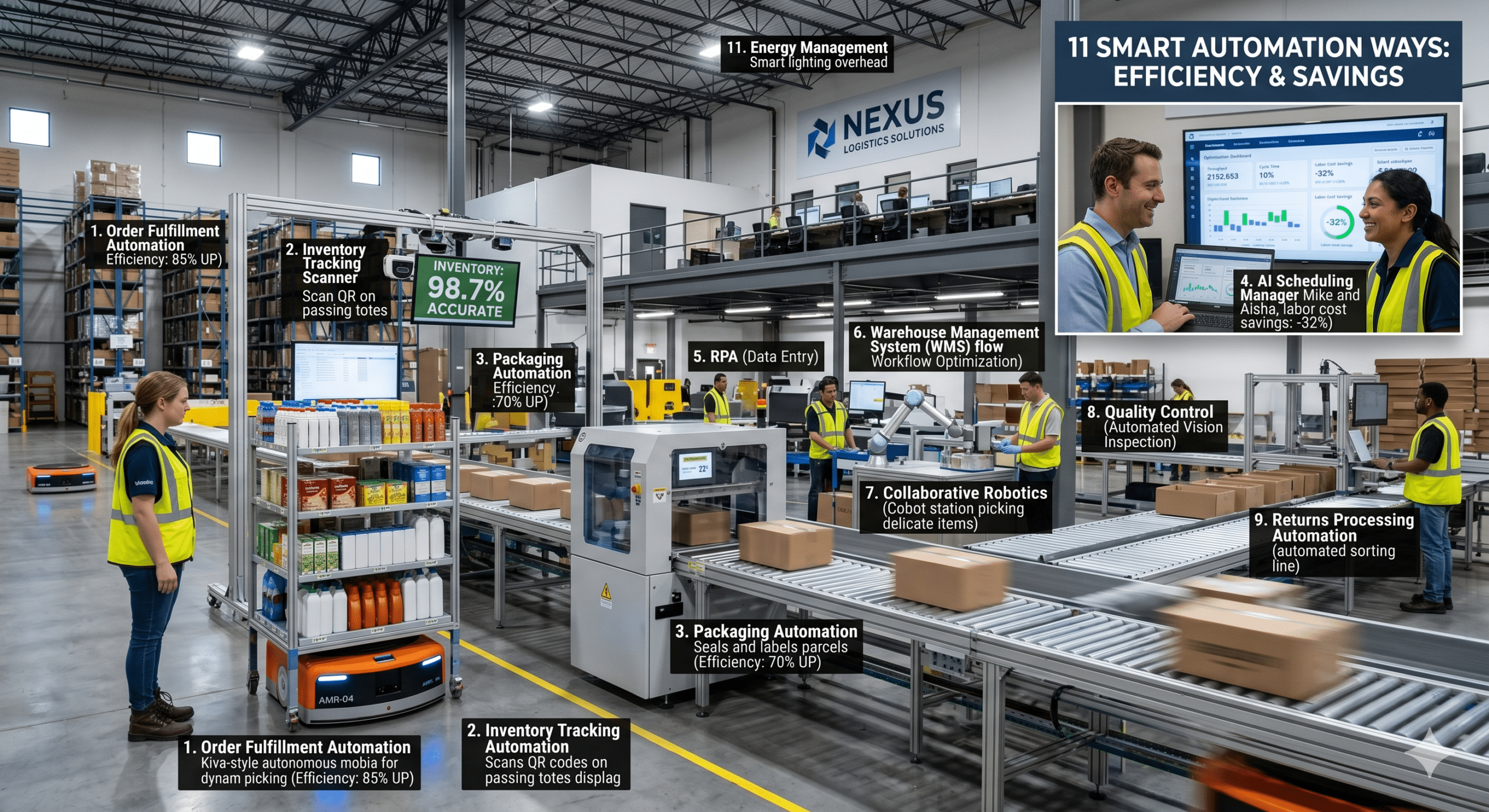
Every business leader is facing the same challenge today. Labor costs continue to rise, customer expectations keep increasing, and competition is moving faster than ever before. At the same time, many organizations are still relying on manual processes that slow down operations, create unnecessary delays, and introduce costly errors.
As an Automation & Process Specialist, I often see companies invest heavily in hiring additional staff when the real issue is not a lack of people. More often than not, the problem is inefficient processes. Employees spend hours entering data, moving information between systems, chasing approvals, responding to repetitive inquiries, and correcting preventable mistakes.
The result is predictable. Throughput suffers, cycle times become longer, and scrap rates increase because errors compound throughout the workflow.
This is where automation software creates measurable business value.
When implemented correctly, automation software does far more than eliminate repetitive tasks. It helps organizations process more work with the same workforce, reduce operational bottlenecks, improve consistency, and create scalable systems that support long-term growth. Organizations across industries are increasingly using business process automation to streamline operations, reduce manual effort, and improve workflow efficiency. (Acronis)
In this article, we will examine eleven practical ways automation software can help businesses maximize throughput, reduce cycle time, and minimize scrap rates while creating a more efficient and profitable operation.
1. Eliminate Repetitive Manual Data Entry
One of the biggest hidden productivity killers inside businesses is manual data entry.
Employees frequently spend significant portions of their day copying information from emails into spreadsheets, updating customer records, transferring data between systems, or entering transaction details into multiple platforms.
While these activities appear simple, they consume enormous amounts of labor hours.
More importantly, manual data entry introduces errors. A single typo can create downstream problems that require additional labor to identify and correct.
Automation software eliminates these repetitive tasks by automatically capturing, validating, and transferring information between systems.
Instead of having employees spend hours performing administrative work, the process occurs automatically in the background.
As a result, throughput increases because employees can focus on value-generating activities rather than data handling. Cycle times shrink because information moves instantly. Scrap rates decline because fewer human errors enter the process.
2. Accelerate Approval Workflows
Many business processes become trapped in approval bottlenecks.
Purchase requests sit in inboxes waiting for managers. Contracts wait for signatures. Marketing campaigns wait for reviews. Vendor payments wait for authorization.
Every delay extends the cycle time of the entire operation.
Automation software solves this problem by routing approvals automatically based on predefined rules.
When a request enters the system, the software immediately identifies the appropriate approver, sends notifications, tracks responses, and escalates delays when necessary.
The process no longer depends on employees remembering to forward emails or follow up manually.
Consequently, decisions happen faster, projects move forward sooner, and operational throughput improves dramatically.
Organizations that automate approval workflows often discover that work which previously took days can be completed within hours.
3. Reduce Process Variability
One of the most overlooked causes of operational inefficiency is inconsistency.
When different employees perform the same task differently, outcomes become unpredictable.
Some employees may skip steps. Others may use outdated procedures. New hires may interpret instructions incorrectly.
This variability increases scrap rates because quality becomes inconsistent.
Automation software creates standardized workflows that execute the same way every time.
Every process follows predefined rules, validation checks, and required actions.
Because the workflow remains consistent regardless of who initiates it, output quality becomes more predictable.
Standardization reduces rework, decreases defects, and supports continuous improvement initiatives throughout the organization.
4. Improve Document Processing Speed
Many businesses still process invoices, forms, contracts, purchase orders, and customer documents manually.
Employees open documents, extract information, verify details, enter data into systems, and route files to the appropriate departments.
This process is slow and labor intensive.
Modern automation software can capture information from documents automatically and route it directly into business systems. Intelligent document automation technologies are increasingly being used to transform unstructured information into structured business data for downstream workflows.
The impact on throughput is substantial.
Instead of processing hundreds of documents per week, businesses can process thousands.
Furthermore, cycle times decrease because documents move instantly between departments rather than waiting in queues.
Most importantly, automated validation helps prevent data entry errors that contribute to scrap and rework.
5. Create Real-Time Process Visibility
Many operational problems remain hidden because managers cannot see them in real time.
A backlog develops slowly. Customer requests accumulate. Service tickets increase. Production queues expand.
By the time management notices the issue, significant delays have already occurred.
Automation software provides visibility into workflow performance through dashboards, alerts, and performance tracking.
Managers can monitor workload levels, identify bottlenecks, and intervene before problems affect customers.
This visibility supports faster decision-making and continuous optimization.
When organizations can see where work is slowing down, they can quickly redirect resources and maintain higher throughput levels.
6. Integrate Disconnected Systems
Many companies operate with multiple software applications that do not communicate effectively.
Customer information may reside in a CRM system while financial records exist in accounting software and operational data lives elsewhere.
Employees become the bridge between systems.
Unfortunately, human integration is slow, expensive, and prone to error.
Automation software connects these systems and enables information to flow automatically between them.
When a customer places an order, the CRM, inventory system, accounting platform, and fulfillment software can all update simultaneously.
This eliminates duplicate work while significantly reducing processing time.
Organizations frequently discover that system integration alone can remove hundreds of labor hours each month.
7. Increase Workforce Productivity Without Increasing Headcount
Many executives assume growth requires hiring more people.
However, adding employees to inefficient processes often increases costs faster than revenue.
A better strategy is increasing the productivity of the existing workforce.
Automation software enables employees to complete more work during the same amount of time.
Instead of handling repetitive administrative tasks, employees can focus on customer service, problem solving, sales activities, process improvement, and strategic initiatives.
This shift dramatically improves throughput.
The organization becomes capable of handling higher transaction volumes without proportional increases in labor costs.
As a result, operating margins improve while customer service levels remain high.
8. Reduce Human Error and Rework
Errors are expensive.
An incorrect invoice, inaccurate customer record, missing order detail, or incorrect shipment creates a chain reaction of problems.
Employees must investigate the issue, communicate with affected parties, correct records, and repeat portions of the process.
This rework consumes labor while reducing overall throughput.
Automation software minimizes these mistakes by enforcing validation rules and eliminating manual handling whenever possible.
Information is checked before it progresses through the workflow.
If required data is missing, the process cannot continue until the issue is resolved.
Consequently, fewer errors enter the system, fewer corrections become necessary, and scrap rates decline significantly.
Organizations often underestimate how much labor is spent correcting mistakes until automation reveals the true cost of rework.
9. Enhance Customer Response Times
Customers expect speed.
Whether they are requesting information, submitting support tickets, placing orders, or seeking approvals, delays create frustration.
Manual processes frequently slow customer interactions because requests wait for employees to become available.
Automation software enables immediate responses to routine requests.
Customers can receive confirmations, status updates, notifications, and answers automatically.
Workflows can route inquiries to the appropriate department without manual intervention.
Faster response times improve customer satisfaction while simultaneously reducing the workload placed on employees.
The organization becomes more responsive without increasing staffing requirements.
10. Support Continuous Improvement Initiatives
Continuous improvement depends on accurate data.
Without reliable metrics, organizations cannot identify inefficiencies or measure improvement efforts.
Automation software captures valuable operational information throughout every workflow.
Managers can analyze processing times, identify bottlenecks, monitor workload distribution, and measure performance trends.
These insights enable informed decision-making.
Instead of relying on assumptions, leaders can prioritize improvements based on real operational data.
Over time, this creates a culture of optimization where workflows become increasingly efficient and productive.
The combination of automation and performance measurement often delivers compounding gains year after year.
11. Build Scalable Operations for Future Growth
Perhaps the greatest benefit of automation software is scalability.
Many organizations reach a point where growth begins to strain existing processes.
More customers generate more transactions, more support requests, more invoices, and more administrative work.
Without automation, labor costs rise alongside growth.
Automation software changes this equation.
Workflows can process significantly higher volumes without requiring proportional increases in staffing.
The organization gains the ability to scale efficiently while maintaining quality standards.
From a throughput perspective, scalability is essential.
The business can handle increasing demand without creating bottlenecks.
Cycle times remain stable because processes are designed to operate consistently at higher volumes.
Scrap rates remain low because automation enforces standardized procedures regardless of workload.
This scalability becomes a powerful competitive advantage as the business grows.
The Direct Connection Between Automation Software and Operational Efficiency
When evaluating automation investments, many leaders focus only on labor savings.
While reducing labor costs is important, the true value of automation software extends much further.
The most successful implementations improve three critical operational metrics simultaneously.
First, throughput increases because more work moves through the system with fewer delays.
Second, cycle times decrease because information, approvals, and transactions flow faster between departments.
Third, scrap rates decline because automated workflows reduce errors, inconsistencies, and rework.
These improvements create a multiplier effect throughout the organization.
Higher throughput increases revenue potential. Shorter cycle times improve customer satisfaction. Lower scrap rates reduce waste and operating costs.
When these benefits occur together, profitability improves substantially.
Conclusion
Businesses looking to reduce labor costs should not immediately focus on reducing headcount. Instead, they should examine the processes that consume employee time every day.
In many organizations, valuable employees spend countless hours performing repetitive administrative tasks that contribute little strategic value.
Automation software provides a practical solution.
By eliminating manual work, standardizing processes, accelerating approvals, integrating systems, reducing errors, and improving visibility, organizations can achieve significant gains in operational efficiency.
More importantly, automation software helps businesses maximize throughput, reduce cycle time, and minimize scrap rates simultaneously.
Those three outcomes represent the foundation of sustainable operational excellence.
Companies that embrace automation strategically are not simply replacing manual work. They are building faster, smarter, and more scalable operations that can adapt to changing business demands while maintaining profitability and customer satisfaction for years to come.
Frequently Asked Questions (FAQ)
What is automation software?
Automation software is a technology solution that performs repetitive business tasks automatically using predefined rules, workflows, and integrations. It reduces manual effort and improves operational efficiency. (Acronis)
How does automation software reduce labor costs?
Automation software eliminates repetitive administrative tasks, allowing employees to focus on higher-value work. This helps businesses increase productivity without continuously adding headcount.
Can small businesses benefit from automation software?
Yes. Small businesses often see significant benefits because automation removes manual bottlenecks and helps limited staff handle larger workloads more efficiently.
Which business processes are best suited for automation?
Processes involving data entry, approvals, document management, customer communication, reporting, invoicing, and workflow routing are typically excellent candidates for automation.
Does automation software replace employees?
In most cases, automation software complements employees rather than replacing them. It removes repetitive tasks and enables staff to focus on customer service, innovation, analysis, and strategic work.
How does automation software improve throughput?
Automation speeds up information flow, reduces waiting times, eliminates bottlenecks, and allows more transactions or tasks to be completed within the same period.
References and Further Reading
For readers who want to explore automation software and business automation strategies in greater depth, these high-authority resources provide valuable insights:
- PDCflow – Simplify Operations With Business Process Automation
- Workday Blog – Business Process Automation: The Complete Guide
- Automation Anywhere Blog – Future of Enterprise Automation
- ThinkAutomation – Real-World Business Process Automation Examples
- Exalate – Business Process Automation Best Practices